
Plugin for Adobe Premiere Pro
Auto mixed by who's talking.
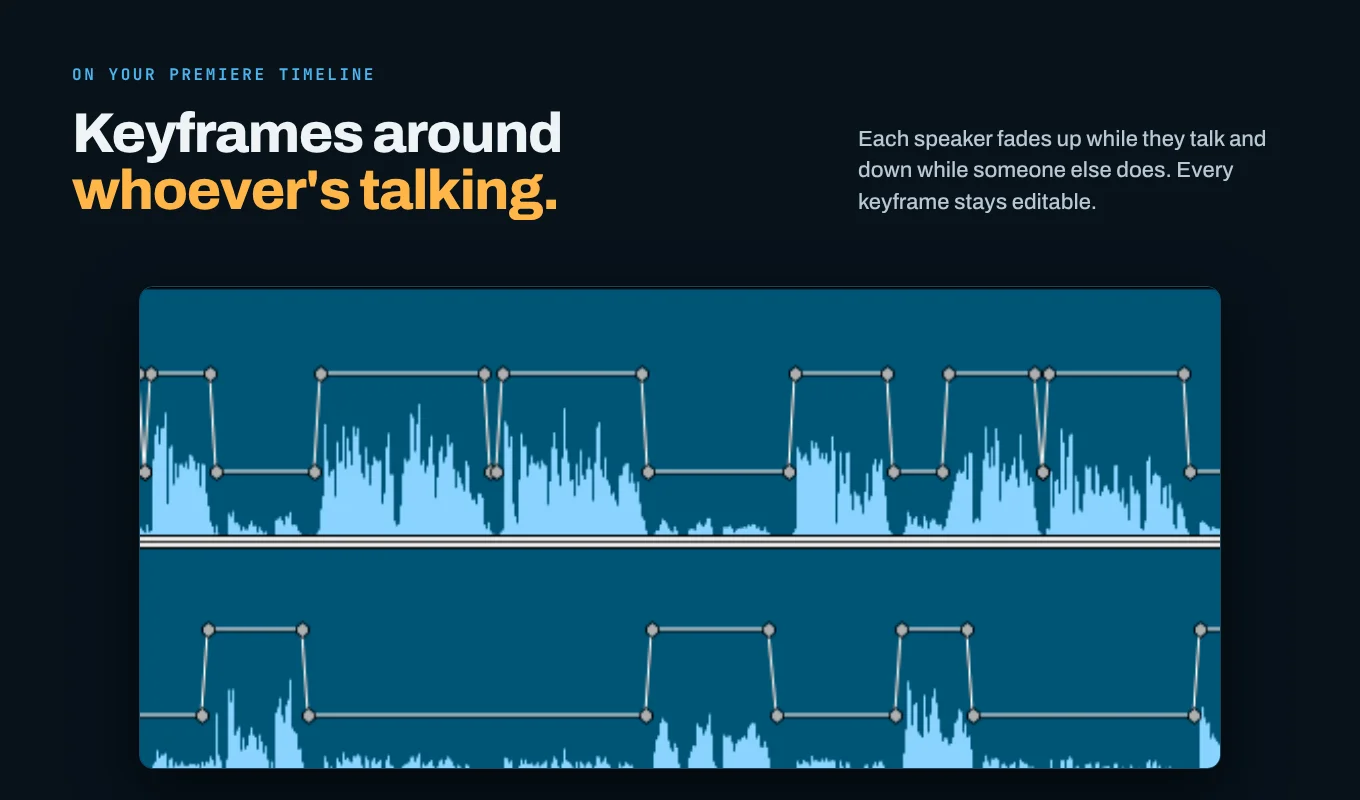
Rideline writes volume keyframes around every speaker in your podcast or interview. Finish your edit. Analyze. Apply.
One-time purchase · macOS · Adobe Premiere Pro 26.0+
60-second walkthrough.
The problem
Every mic hears every speaker. Riding levels by hand means placing hundreds of keyframes per episode.
The fix
Rideline works out who's speaking, moment by moment, and writes the keyframes for you. Every keyframe stays editable.
How it works
Three steps, then back to editing.
- 1Tick your speaker tracks.
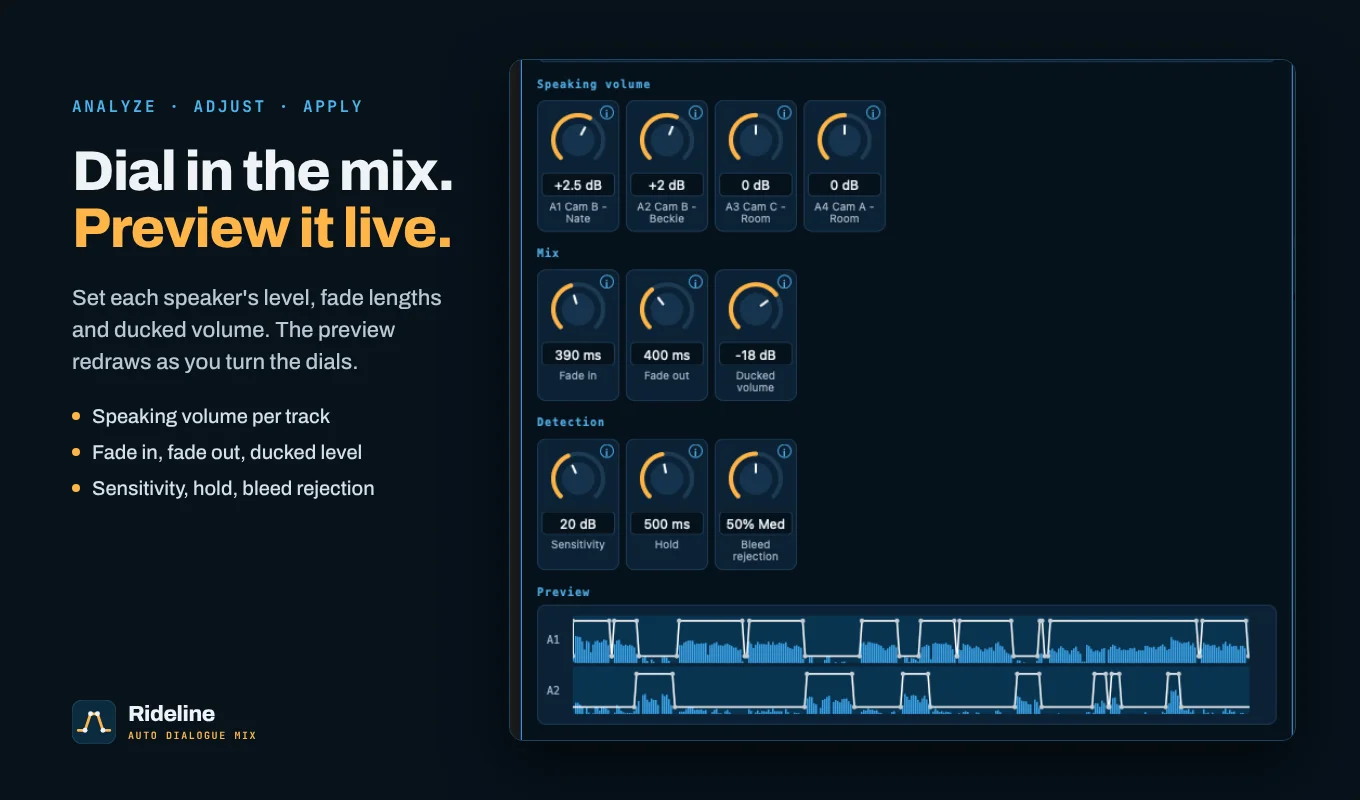
- 2Click Analyze. A live preview shows the volume line before anything is written.
- 3Adjust the dials, then click Apply keyframes.
Features
What it does.
Speaker detection
Compares level and tone to tell a voice in its own mic from bleed in another mic, and learns it per recording.
Crosstalk aware
When two people talk at once, both mics open.
Live preview
See the volume line update as you turn the dials.
Full control
Speaking volume per track, fade in/out, ducked volume, sensitivity, hold, bleed rejection (Low/Med/High).
Non-destructive
Only writes volume keyframes. Never cuts, moves or processes audio. Reset removes them.
Private
All analysis runs on your computer. No network connections, no data collected.
System requirements
What you need.
| Host | Adobe Premiere Pro 26.0 or later |
|---|---|
| OS | macOS (Windows coming soon) |
| Tracks | Each speaker on their own audio track, or their own channel of one file |
| Media | Works with WAV, MP4/MOV, MP3, nested and multicam clips |
Pricing
Rideline: Auto Dialogue Mix
$19
one-time purchase
- Lifetime license for version 1.x
- Free 1.x updates
- Mac
- Email support
Also available on the Adobe Creative Cloud Marketplace
Secure checkout via [Lemon Squeezy / Gumroad].
Install
Install in 3 steps.
- 1Download the .ccx file from your purchase email.
- 2Double-click it. Creative Cloud opens, then click Install.
- 3In Adobe Premiere Pro, open Window > UXP Plugins > Rideline.
Creative Cloud shows a standard warning for plugins installed from outside the Marketplace. That's expected.
FAQ
Questions.
Does it work on Windows?
Not yet. Windows support is in progress; this release is macOS only.
Which Premiere versions?
Adobe Premiere Pro 26.0 and later.
Does it change my audio?
No. It only writes clip volume keyframes, which you can edit or reset.
What if my speakers are on one stereo file?
Works if each speaker is on their own channel.
Does it upload my audio?
No. Everything runs locally, with no network access.
Is it a subscription?
No, it's a one-time $19 purchase.
Refunds?
[YOUR REFUND POLICY, e.g. "14-day refund if it doesn't work for you. Just email us."]
Known limits?
Speed-changed clips are skipped. If two tracks carry nearly identical audio, Rideline can't tell the speakers apart and will tell you.